

Quick heads-up: our cover photo was generated using AI.
When it comes to password managers, some tools store your credentials in the cloud, while others keep them locally on your hard drive. If you aren’t comfortable with cloud-based storage, KeePass is an offline password manager that keeps your data secure in a database stored directly on your computer.
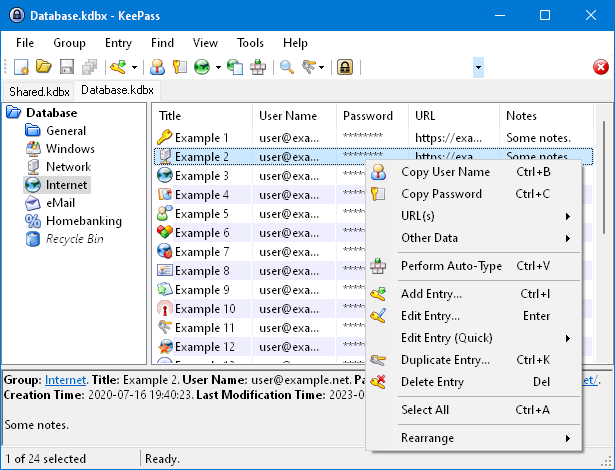
Once you download, install, and open the app, setting up your database is straightforward: go to File > New, choose where to save the file, and create a strong master password. If you want an extra safety net—or don’t fully trust your memory—you can print out an emergency sheet containing your master password and database details.
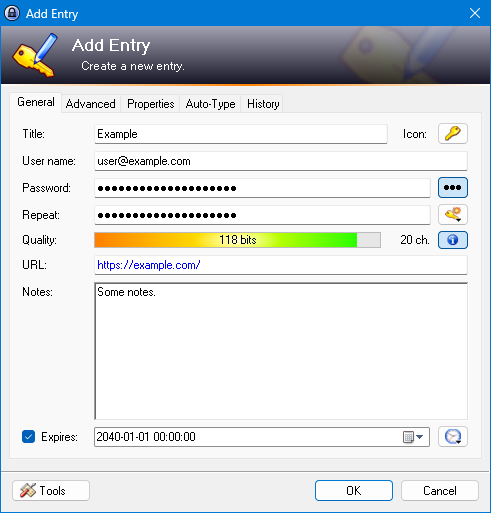
The latest update improves how passwords are imported from LastPass and adds tag support for cleaner organization. Additionally, KeePass checks your entries whenever you type a password or run a report, flagging weak credentials and prompting you to update them—unless you specifically choose to ignore warnings for selected entries.


Leave a Reply