
ExtPassword! is a tool from the talented team at NirSoft, allowing you to extract passwords stored on external hard drives and USB sticks. Along with that, it easily pulls any product keys it finds, plus network passwords, and even Windows security questions and answers.
Once you download ExtPassword! from the official site, extract the zipped file and run the program. In the window that pops up, click “Run as Administrator,” choose the drive letter you want to scan from the drop-down menu, and hit OK.
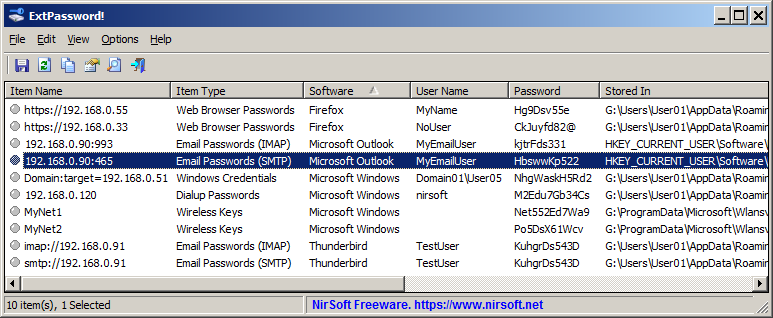
After a quick scan, all your passwords and sensitive data will show up in a list. If you need more details about a specific entry, just right-click it and select “Properties.”
As you might expect, ExtPassword! has no trouble tracking down passwords on regular hard drives either. To scan internal drives for sensitive info, simply head to the “Options” menu, select “ExtPassword Options,” and choose a different drive.


Leave a Reply